
Seedance 2.5: a full 30-second scene in one take
One line of text or one photo is enough. Seedance 2.5 turns it into a video up to 30 seconds long, at 1080p, with the sound already in. Describe your scene below.
Made with Seedance 2.5
Both clips were generated on Seedance.kr with Seedance 2.5. The input images and the full prompts are right here, so take them and change whatever you like.
8 seconds from a first and a last frame
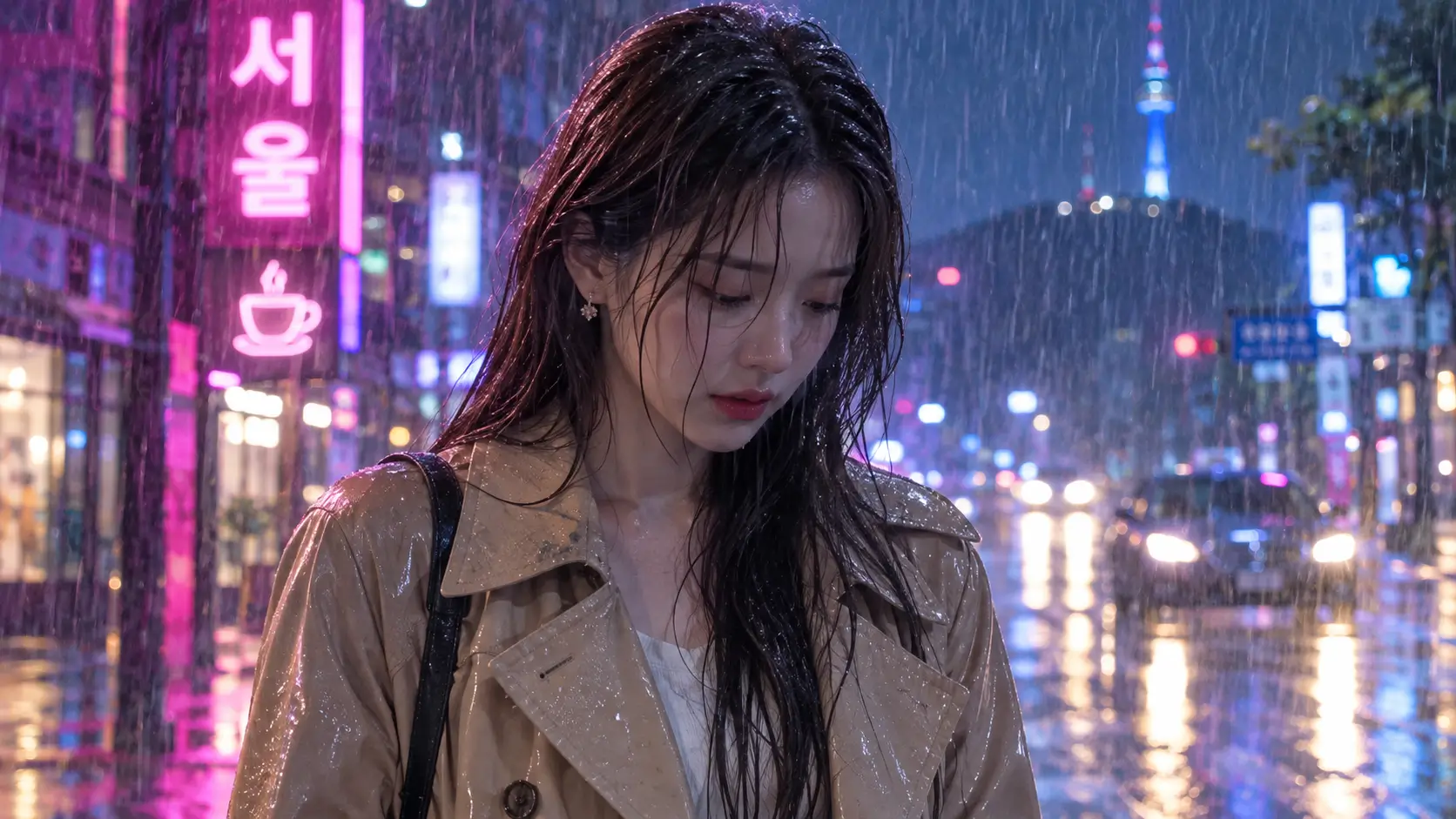
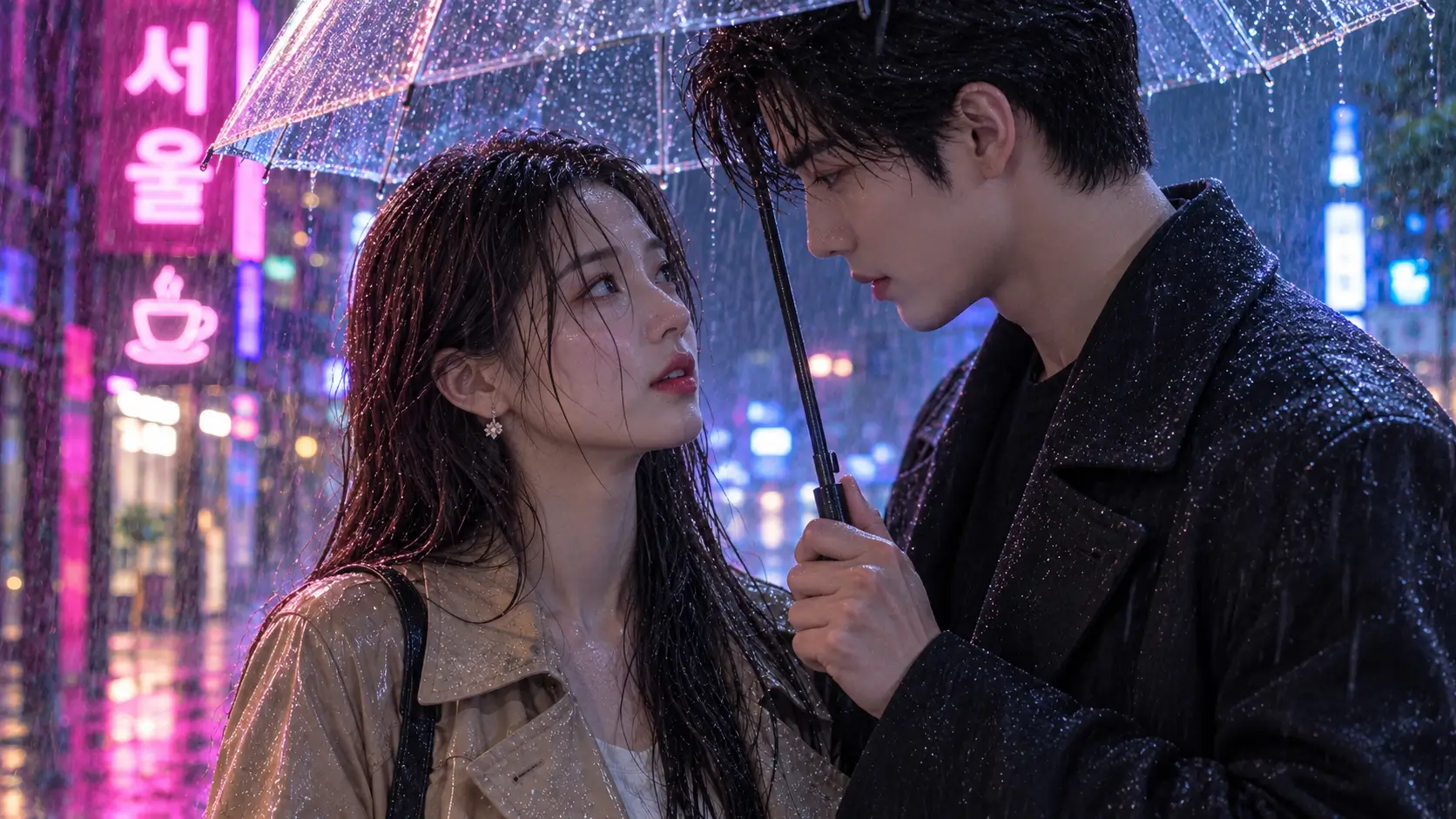
Two images went in: her alone in the rain as the opening frame, the two of them under one umbrella as the closing frame. Seedance 2.5 worked out the acting and the camera move in between.
Input images
Prompt
Cinematic K-drama romance scene. The woman stands alone in the heavy rain; a tall man in a black coat walks into frame from the right and raises a transparent umbrella over her. She slowly looks up at him in surprise and their eyes meet, as the camera pushes in from a medium shot to the close two-shot of the last frame. Slow-motion raindrops, neon bokeh, emotional piano melody and rain ambience.10 seconds from three reference images
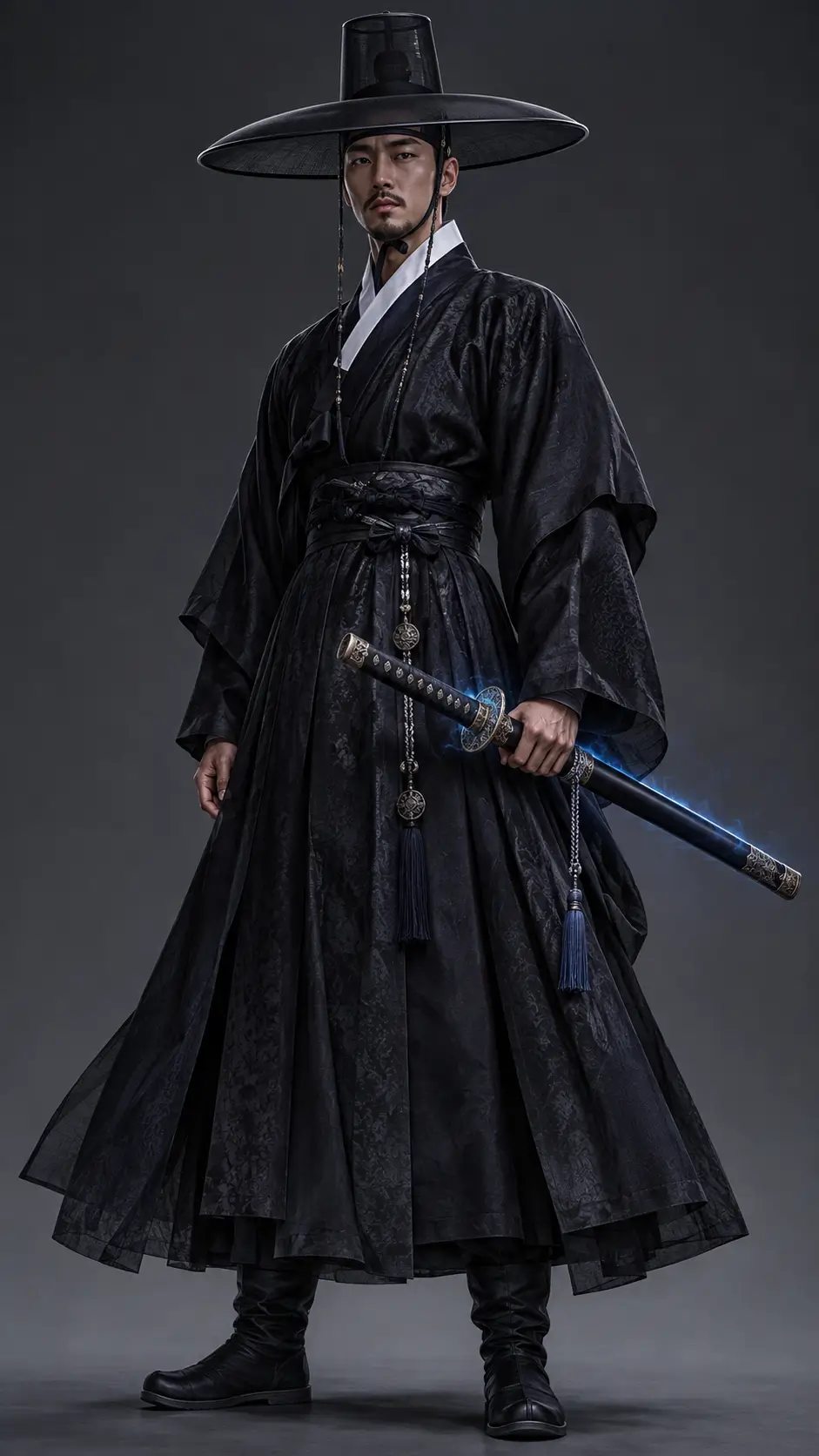
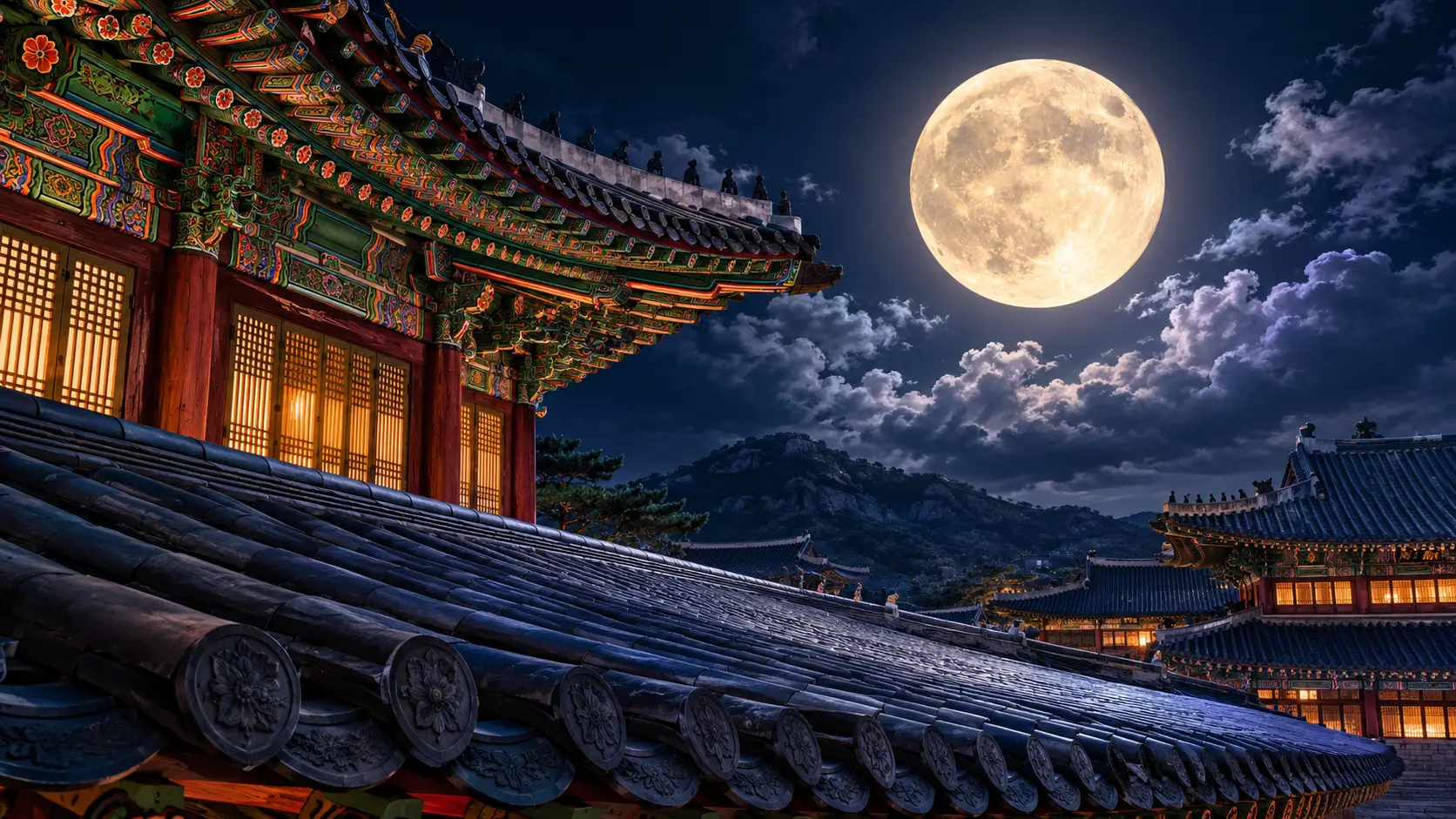
The swordsman, the dragon and the palace roof were uploaded as separate images, then called into one scene by number: image 1, image 2, image 3.
Input images

Prompt
Epic Korean historical fantasy. The swordsman from image 1 stands on the palace roof from image 3 under a giant full moon and slowly draws his glowing blue sword. Behind him the dragon from image 2 coils out of the storm clouds and roars. Wind whips his robes, lightning flashes, embers swirl. The shot starts low behind the swordsman and rises into a sweeping aerial orbit. Cinematic color grade, volumetric light, thunder and a powerful orchestral score with Korean drums.What is Seedance 2.5?
Seedance 2.5 is an AI video generation model from ByteDance, released on July 31, 2026 as the successor to Seedance 2.0. Describe a scene in text or upload an image, and it generates a video between 4 and 30 seconds long at up to 1080p, with sound.
Compared with Seedance 2.0, the two big changes are length and references. The maximum clip length goes from 15 to 30 seconds, reference images from 9 to 30, and reference videos and audio clips from 3 to 10 each. Work that used to mean generating several short clips and stitching them together now fits in a single generation.
| Seedance 2.5 | Seedance 2.0 | |
|---|---|---|
| Video length | 4–30 seconds | 4–15 seconds |
| Max resolution | 1080p | 1080p |
| Aspect ratios | 16:9, 9:16, 1:1, 4:3, 3:4, 21:9, adaptive | 16:9, 9:16, 1:1, 4:3, 3:4, 21:9 |
| Reference images | Up to 30 | Up to 9 |
| Reference videos | Up to 10 (30 seconds total) | Up to 3 (15 seconds total) |
| Reference audio | Up to 10 (30 seconds total) | Up to 3 (15 seconds total) |
| Start and end frames | Yes | Yes |
| Sound generation | Yes | Yes |
Based on the settings available on Seedance.kr.
What you can do with Seedance 2.5
Spec numbers only say so much. Here is what changes when you actually sit down to make something.
30 seconds without a cut
Seedance 2.0 stopped at 15 seconds. With 2.5 you pick anything from 4 to 30, enough for a whole ad or a full Short in one generation, with no stitching.
30 reference images
Upload the character, the outfit, the location and the props as separate images, then refer to them by number in the prompt: "the person from image 1 stands in the place from image 3".
You set the first and last frame
Give it an opening image and a closing image and Seedance 2.5 fills in everything between. Handy for scenes with a fixed ending or before-and-after shots.
Video and audio as references
Add up to 10 reference videos and 10 audio clips, 30 seconds total for each. Audio needs to be paired with an image or a video.
Sound comes with it
Write the rain, the footsteps or the background music into your prompt and they are generated along with the picture. Switch sound off if you don't need it.
From Shorts to widescreen
Vertical 9:16, landscape 16:9, square 1:1 and 21:9 widescreen are all there. Choose 480p, 720p or 1080p for the output.
How to use Seedance 2.5
There is nothing to install. Four steps in your browser.
Describe the scene
Say who is there, where they are and what they do. Adding the camera move and the sound makes the result much more precise.
Add references
Upload images, video or audio if you have them. Text alone works fine too.
Pick length and ratio
Choose a length from 4 to 30 seconds, then the aspect ratio and resolution for where the video is going.
Generate and download
Most videos are ready within a few minutes. You can watch the progress on screen and download when it's done.
Seedance 2.5 FAQ
Something we missed? Write to support@seedance.kr.
Seedance 2.5 is an AI video generation model that ByteDance released on July 31, 2026. It turns text or images into videos 4 to 30 seconds long at up to 1080p, with sound. You can also add up to 30 reference images and up to 10 reference videos and 10 audio clips.
Mainly length and how many references you can use. Maximum video length goes from 15 to 30 seconds, reference images from 9 to 30, and reference videos and audio from 3 to 10 each. Both models go up to 1080p and both support start and end frames and sound generation. Seedance.kr offers both, so you can run the same prompt through each and compare.
Yes. New Seedance.kr accounts get free credits, with no credit card required. When they run out you can continue with a credit pack or a subscription. The credits each model needs are listed on the pricing page.
Open Seedance.kr in a web browser, choose Seedance 2.5 in the model picker, type a prompt or upload an image, and press generate. There is no software to install.
Most videos are ready within a few minutes. It depends on the length and resolution, and a progress indicator is shown while your video is generating.
Go in this order: subject, action, place, camera movement, mood, sound. Describe what the viewer would see, so "the camera starts low and slowly rises" rather than "a beautiful video". If you uploaded reference images, point to them by number, such as image 1 and image 2. Prompts can be up to 10,000 characters.
Yes. Text alone runs as text to video, and adding an image runs as image to video. You can start either one from the box at the top of this page.
Paid plan users can use generated videos for commercial work such as ads, social media and client projects. Videos made on the free plan are for personal use only.
No. Seedance.kr is an independent service and is not the official website of ByteDance or Seedance. It does use the official Seedance API, so your videos are generated by the same Seedance 2.5 model.
Make your first Seedance 2.5 video
Free credits land in your account as soon as you sign up. No card, nothing to install.