

To use Seedance 2.0 on Seedance.kr, open the site in a browser, choose Seedance 2.0 in the model picker, write a prompt, and press generate. You can add reference images, video or audio, and you set the ratio, resolution and length yourself. A 6-second clip at 720p costs 132 credits, and the price is shown before you commit.
The rest of this guide is about doing that without wasting credits: which of the three Seedance 2.0 models to pick, how references are billed, and three prompts with the videos they produced.
What Seedance 2.0 does well, and where it slips
Seedance 2.0 is ByteDance's video model that takes text, images, video and audio in one request and returns a clip with sound. ByteDance launched it on February 12, 2026, and the launch post gives the limits that still apply: up to 9 images, 3 video clips and 3 audio clips per generation, with output up to 15 seconds.
So a face, a dance routine or a camera move no longer has to be described. You upload it and say what to take from it.
The same post is frank about weak spots: detail stability, occasional audio distortion, consistency when several subjects share a scene, and text rendering. Plan around them. Keep the cast small, and add signs or captions in your editor instead of asking for them in the video.
Step 1: Pick one of the three Seedance 2.0 models
Open the model dropdown at the top of the generator. Seedance 2.0, 2.0 Fast and 2.0 Mini accept the same prompts and the same references.
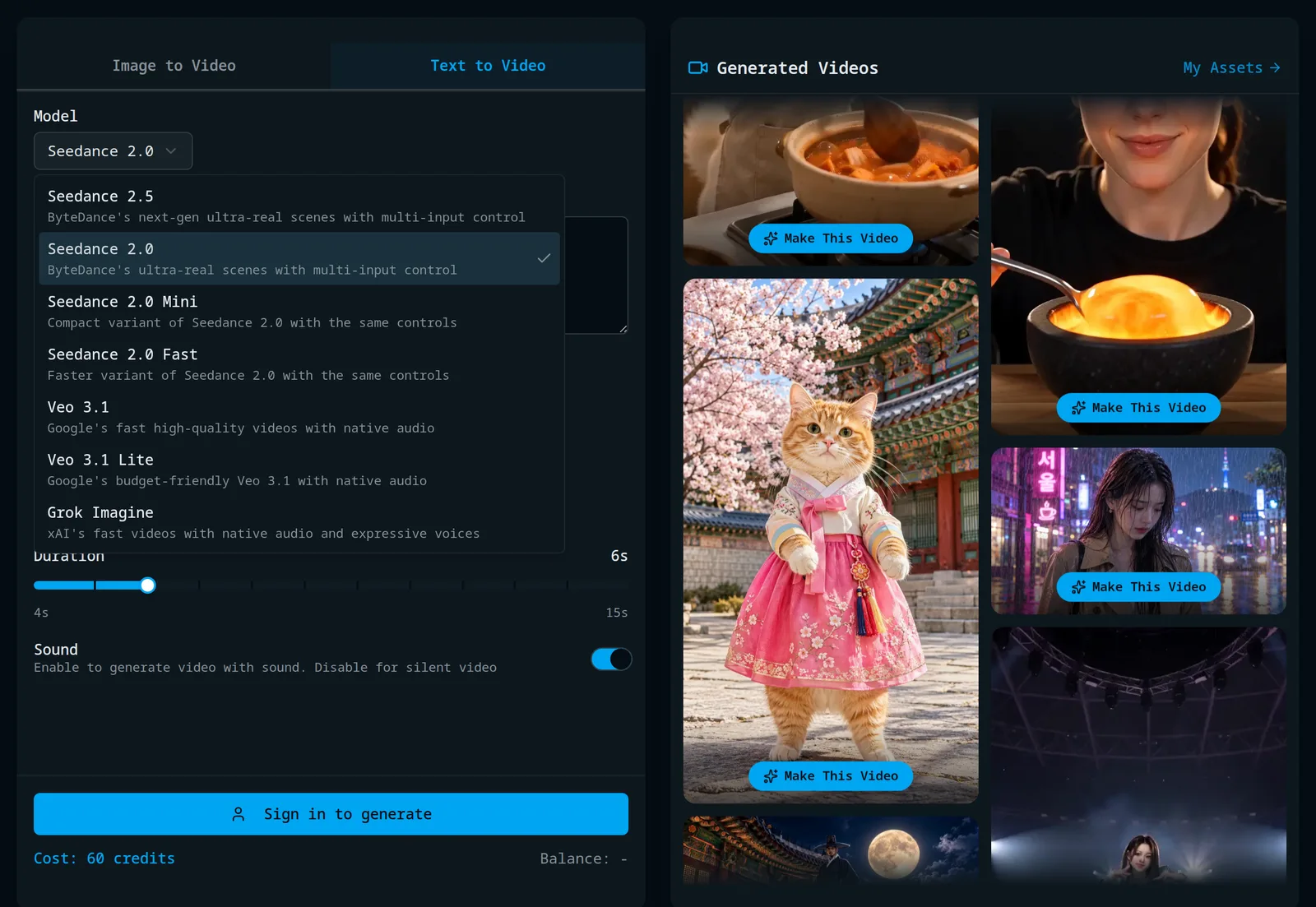
What differs is the top resolution and the price per second of video:
| Seedance 2.0 | 2.0 Fast | 2.0 Mini | |
|---|---|---|---|
| Max resolution | 1080p | 720p | 720p |
| 480p, credits per second | 10 | 6 | 3 |
| 720p, credits per second | 22 | 13 | 7 |
| 1080p, credits per second | 55 | n/a | n/a |
Draft on Mini and rerun only the version you like on 2.0. Going from 720p to 1080p costs 2.5 times the credits, so save 1080p for the final take. The Seedance 2.0 page has sample clips from all three.
Step 2: Write the prompt
Go in this order: who is in the shot, what they do, where, how the camera moves, the mood, and the sound.
Sound is the part people leave out. Seedance 2.0 generates audio in the same pass as the picture, so if you say nothing, the model decides what the clip sounds like. "No music, only rain and footsteps" is a normal instruction.
Describe what a viewer would see. "Slow push-in from a medium shot to a close-up" gives the model something to do, and "cinematic" does not. The examples below are 70 to 90 words each, which is plenty.
Step 3: Add references (optional)
Switch to the Image to Video tab and three upload areas appear: reference images, reference video and reference audio.
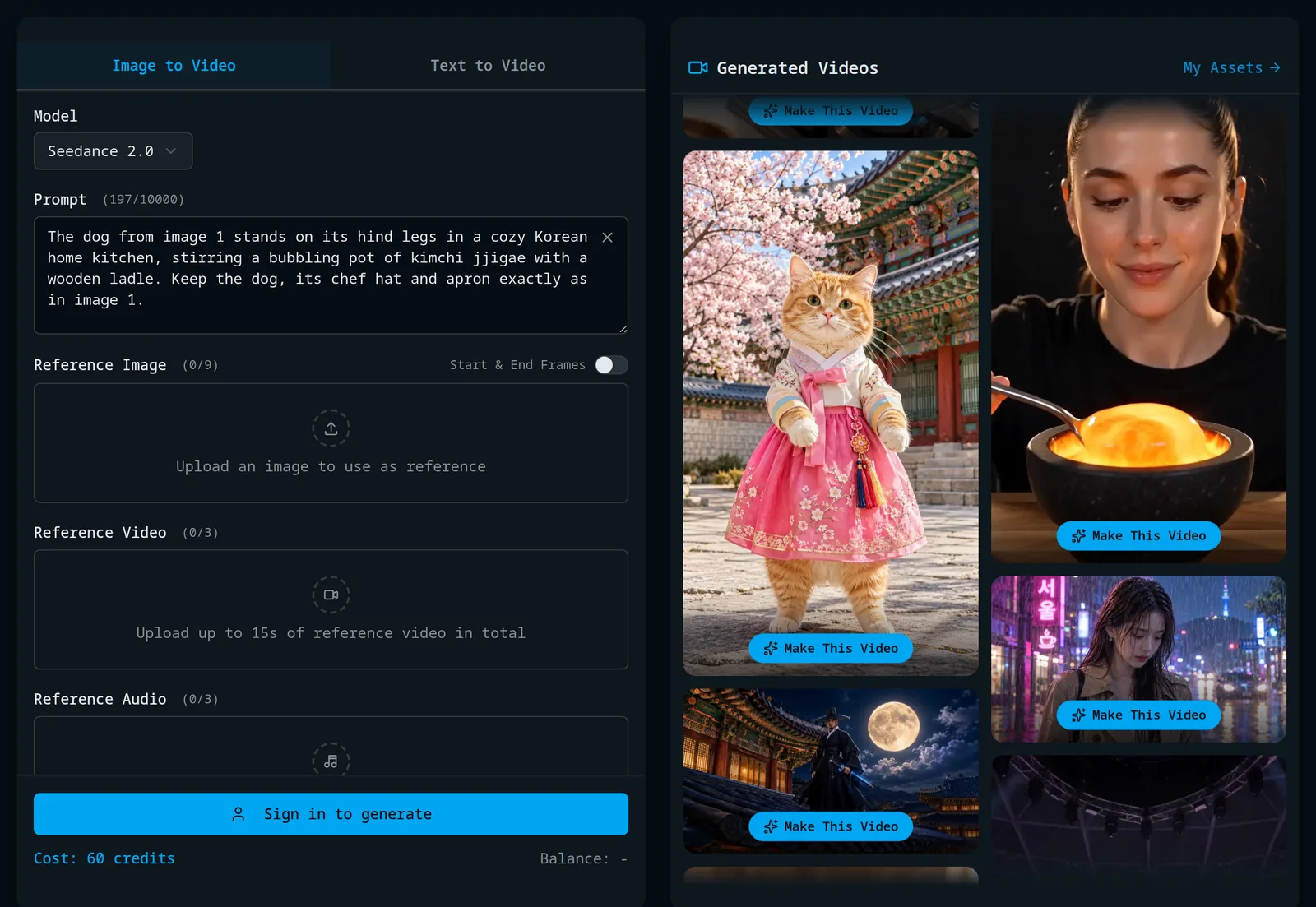
The limits on Seedance.kr:
- Images: up to 9.
- Video: up to 3 files, MP4 or MOV, 2 to 15 seconds each and 15 seconds in total, under 50 MB per file.
- Audio: up to 3 files, MP3 or WAV, 2 to 15 seconds each and 15 seconds in total, under 15 MB per file. Audio has to come with at least one image or video.
Refer to them by number in the prompt, in upload order: "the dog from image 1", "the choreography of video 1". Say what to take from each, and add a line such as "keep her face, hair and outfit identical to image 1" so the model preserves it.
The "Start & End Frames" switch changes how images are used. With it on, your image becomes the literal first frame, and you can add a last frame for the model to arrive at.
No reference image to hand? Make one in the AI image generator first.
Step 4: Set ratio, resolution and length, then generate
Pick one of six ratios (9:16 for Shorts and Reels, 16:9 for YouTube), a resolution, and a length between 4 and 15 seconds on the slider. The cost under the button updates as you change things.
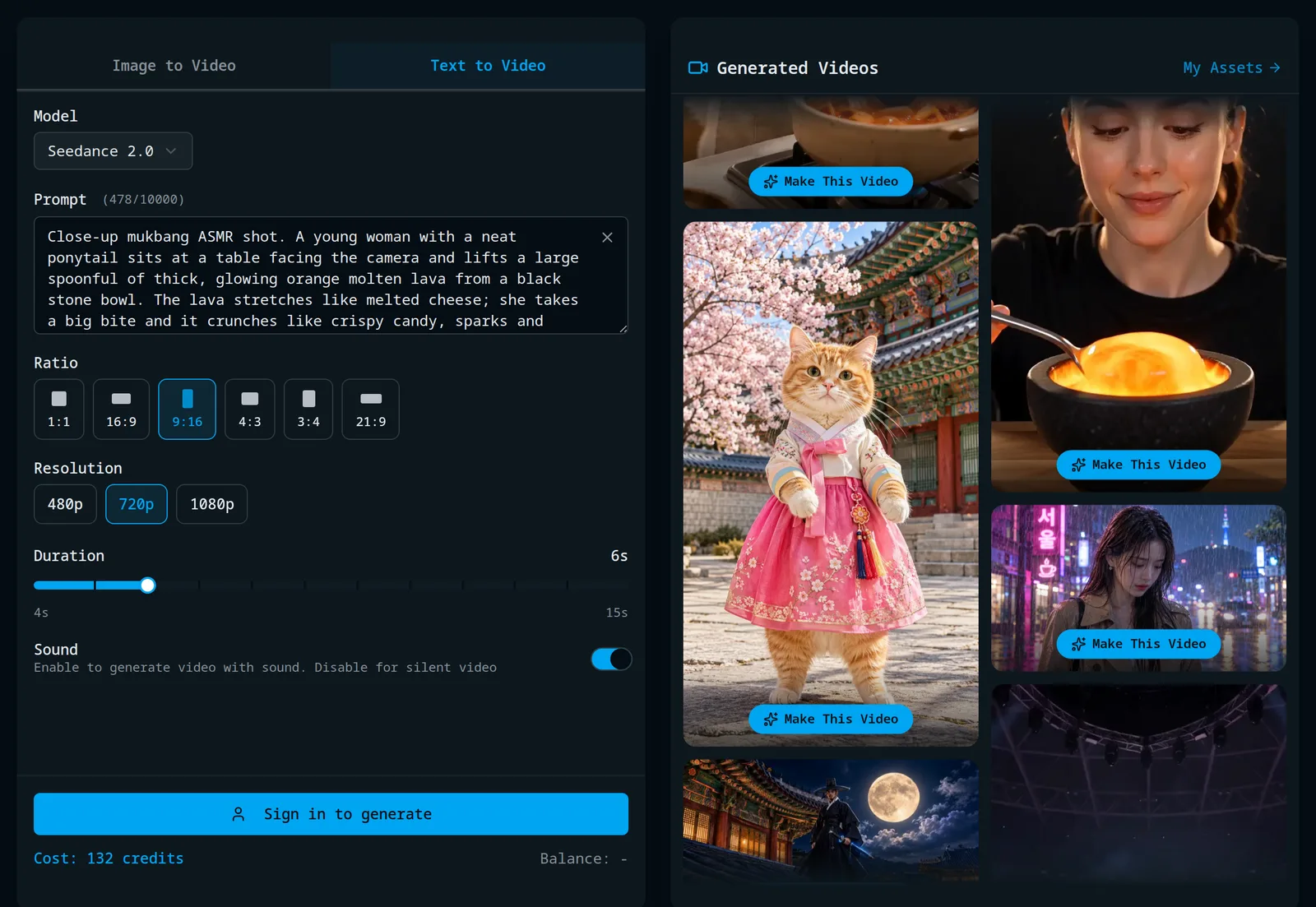
The defaults are 16:9, 480p and 6 seconds, which is 60 credits on Seedance 2.0. Sound is on by default and does not change the price.
Generation takes a few minutes, more for 1080p and long clips, and 2.0 Fast and Mini usually finish sooner. The finished video is saved under My Assets.
What a Seedance 2.0 video costs
Credits = seconds × the per-second rate in the table above. An 8-second 720p clip on Seedance 2.0 is 8 × 22 = 176 credits. The same clip on Mini is 56.
Reference video changes the sum. With a video attached, the rate per second drops (13 instead of 22 at 720p on Seedance 2.0), but the seconds of your reference clip are billed too. An 8-second output with a 12-second reference is 20 × 13 = 260 credits. Trim that reference to 4 seconds and the same job is 156, so cut reference clips down to the part you need.
New accounts get 20 free credits with no card required. That covers one 6-second clip on Seedance 2.0 Mini at 480p (18 credits). After that, credit packs start at $10 for 300 credits. The full list is on the pricing page.
Three prompts, with the videos they made
All three clips were generated on Seedance.kr with the settings listed. Each is on the home page with a "Make This Video" button that loads the same prompt and settings.
Text only: 132 credits
Seedance 2.0, 9:16, 720p, 6 seconds, no references.
Close-up mukbang ASMR shot. A young woman with a neat ponytail sits at a table facing the camera and lifts a large spoonful of thick, glowing orange molten lava from a black stone bowl. The lava stretches like melted cheese; she takes a big bite and it crunches like crispy candy, sparks and embers flickering. She widens her eyes and smiles with delight. Dark background, warm glow lighting her face, fixed camera. No music, only sizzling, crackling and crunchy chewing sounds.
The crackle and crunch are there because the last sentence asked for them and ruled out music.
One reference image: 176 credits
Seedance 2.0, 9:16, 720p, 8 seconds, one image of a Jindo dog in a chef hat and apron.
The dog from image 1 stands on its hind legs in a cozy Korean home kitchen, stirring a bubbling earthenware pot of bright red kimchi jjigae with a wooden ladle held in its paws. Steam rises, the dog sniffs the stew, takes a small taste and gives a proud, satisfied nod to the camera. Keep the dog, its chef hat and apron exactly as in image 1. Warm evening light, handheld vlog-style medium shot, sounds of simmering stew and a soft happy bark.
The reference image has a plain grey studio background on purpose, so the only thing to take from image 1 is the dog.
An image plus a video: 260 credits
Seedance 2.0, 9:16, 720p, 8 seconds, one image of the performer and a 12-second practice-room dance clip.
The girl from image 1 performs exactly the choreography of video 1, matching its timing and body movements, on a huge K-pop concert stage. Keep her face, hair and outfit identical to image 1. Laser beams, an LED wall with abstract pink and blue graphics, haze and thousands of glowing lightsticks in the crowd. Full-body shot with a slow push-in. Energetic K-pop dance track with a heavy bass and cheering fans.
Each input has one job: the image supplies the person, the video the motion, the text the place.
FAQ
Is Seedance 2.0 free to use?
You can try it for free. A new Seedance.kr account comes with 20 credits and needs no card, enough for one short Seedance 2.0 Mini clip at 480p. Beyond that you need a credit pack or a subscription.
Should I use Seedance 2.0 or Seedance 2.5?
Use Seedance 2.0 for clips up to 15 seconds, which covers most Shorts and ads, at about two thirds of the credits per second. Seedance 2.5 is the one to pick when you need a single take of up to 30 seconds or more than 9 reference images.
Can I use Seedance 2.0 videos commercially?
Yes on paid plans, with one exception: the $10 pack of 300 credits is for personal use only, as are videos made with free credits. Commercial use starts with the $30 pack and the subscriptions.